Backdrop Podium mode pans the camera out to a wider view of the green screen area.
This mode is intended for:
- Simple recordings with a black background — pull the black curtain across the green screen.
- Group recordings — the wider shot accommodates up to about 4 people speaking together, e.g., panels
or interviews at the podium.
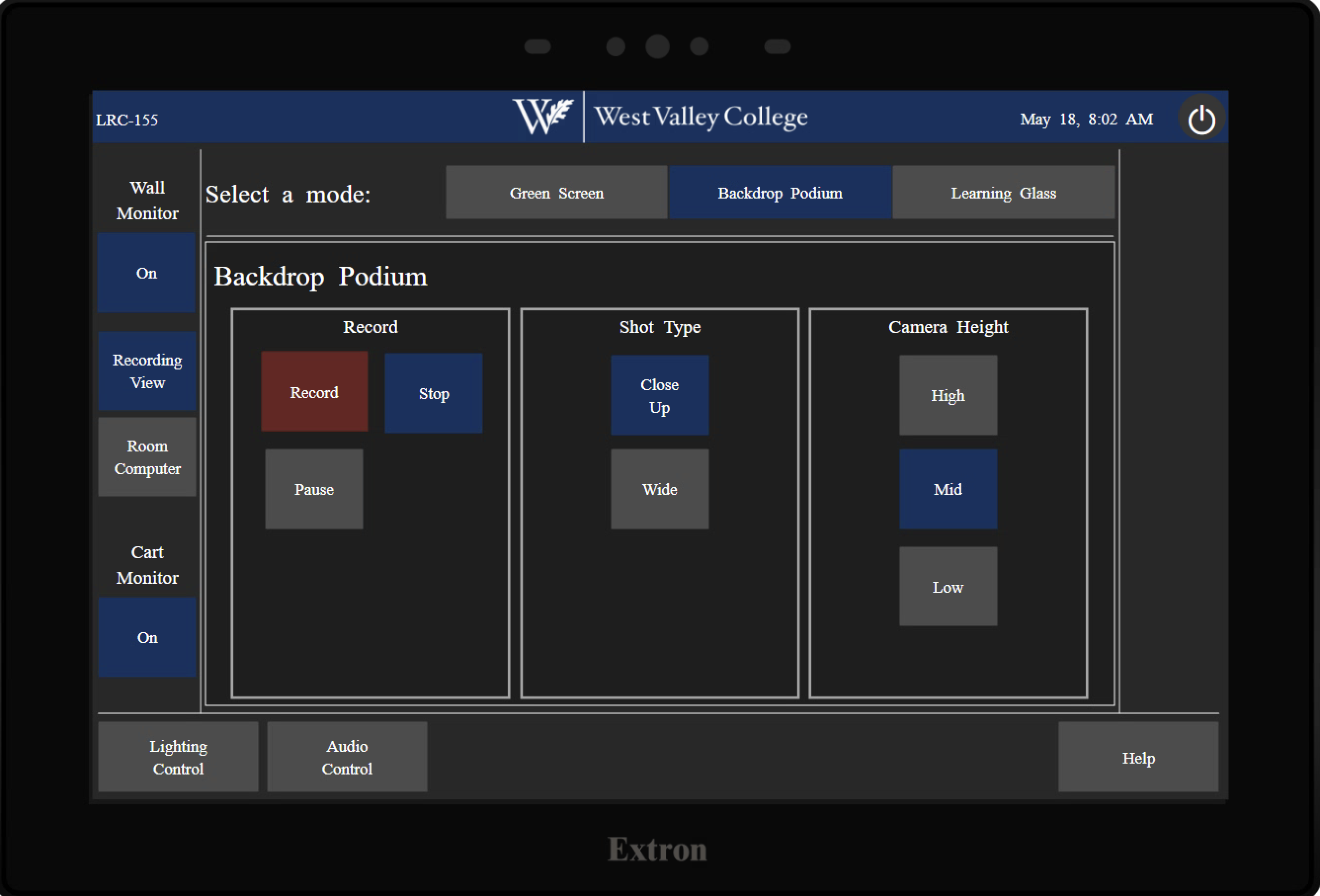
Controls
- Record / Stop / Pause — Recording controls.
- Shot Type — Close Up (tighter framing on the speaker/podium) or Wide (full group shot).
- Camera Height (High / Mid / Low) — Adjust camera framing.
Get Started
- Move the desk and stand on mark
- Select Camera Height: High, Mid, Low
- Select Shot Type: Close Up or Wide
