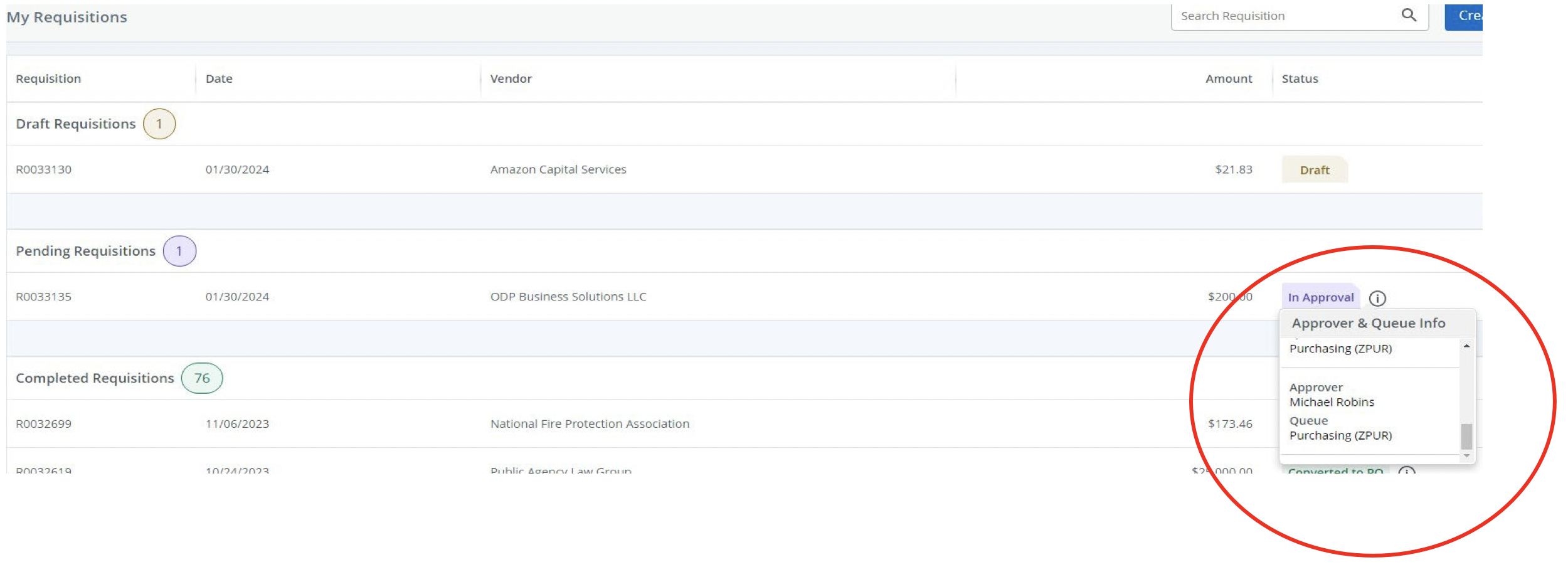
Where is my requisition?
From the Welcome screen select FOAUAPP

Remove User ID and uncheck Next Approver
Select GO

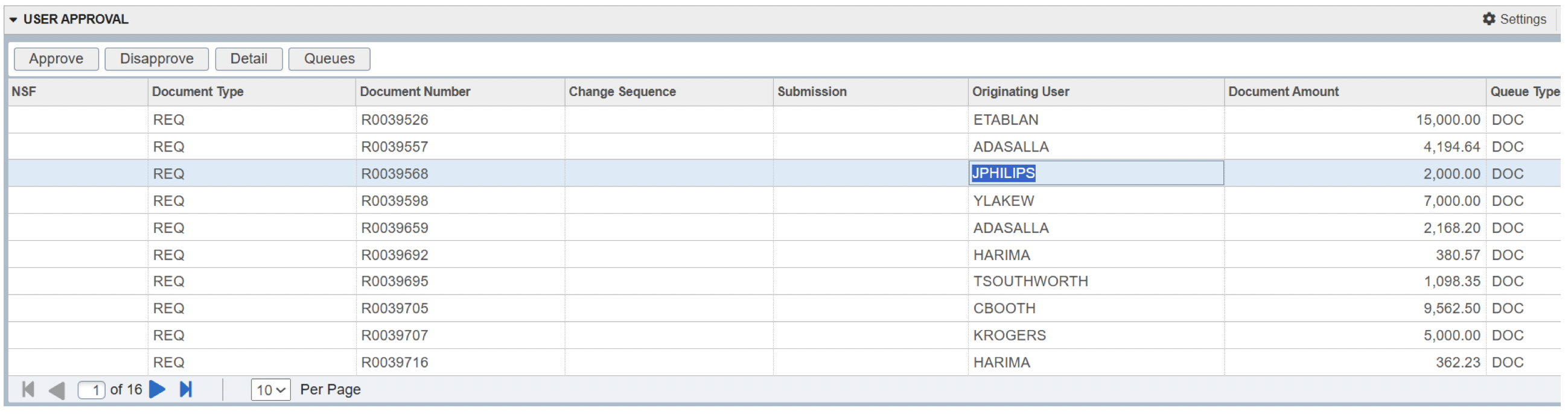
You will see all requisitions that are pending to be approved.
Locate and select your requisition
*If you cannot locate your requisition, you may need to move to the next page. There are multiple pages.
Select Queues on top left
You will now be in your requisition
Select GO

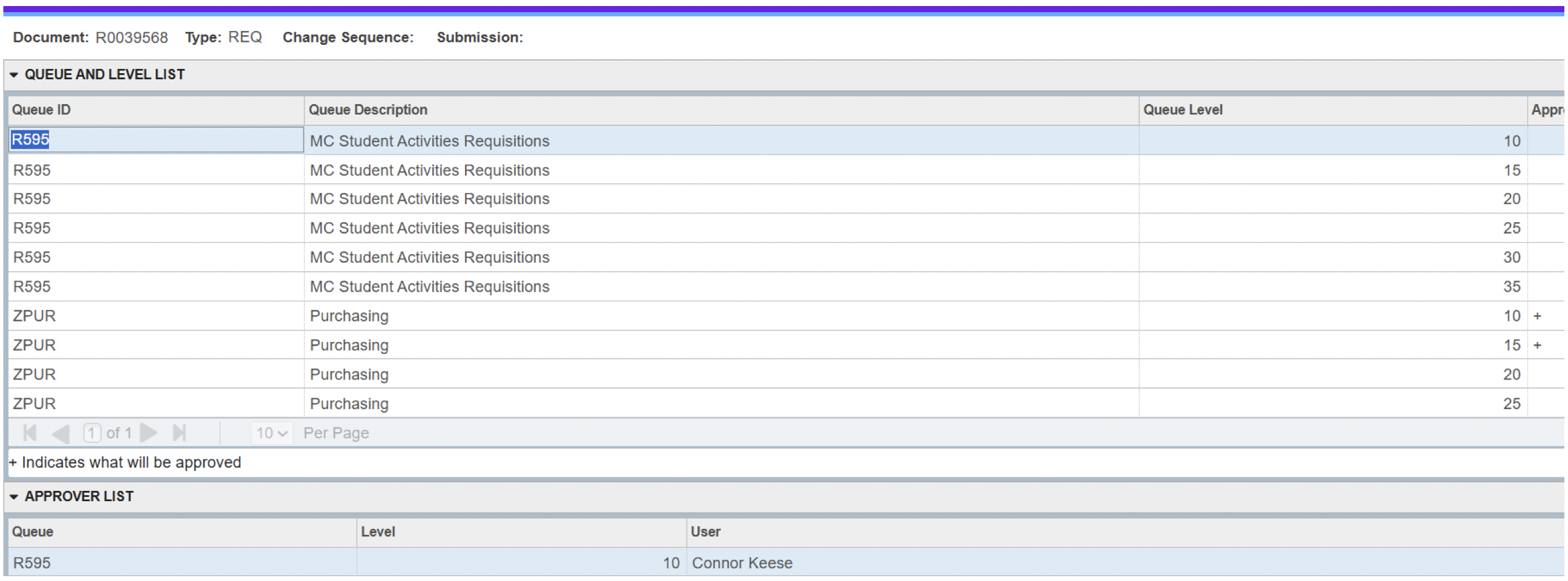
You will see the list of approvers.
On the bottom under Approver List, shows where your requisition is currently at. After it is approved by the User, it will then go into Purchasing for approval.
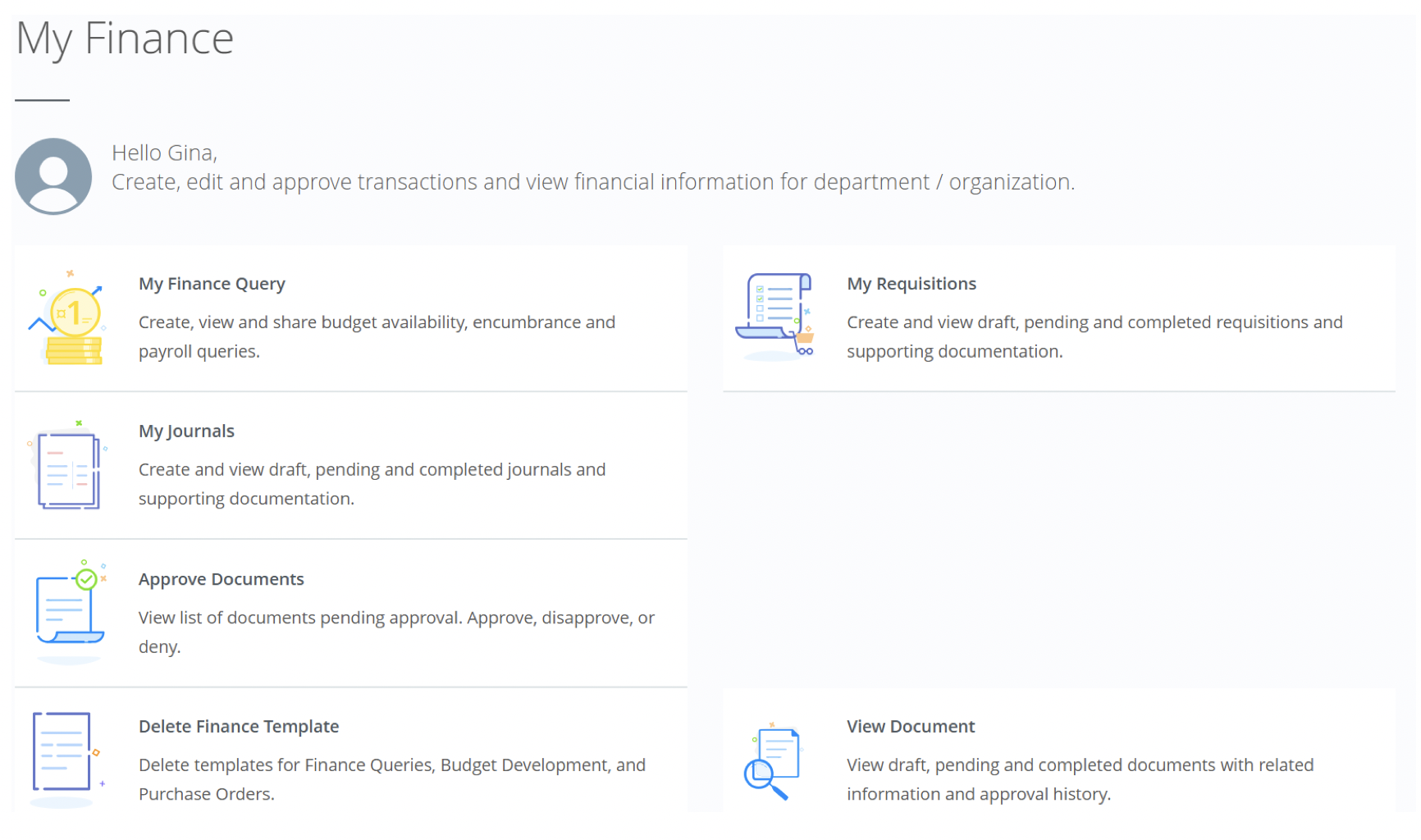
Select My Requisitions
Under Pending Requisitions, click on the information next to the Status.
This will show you whose approval queue the requisition is waiting for approval